
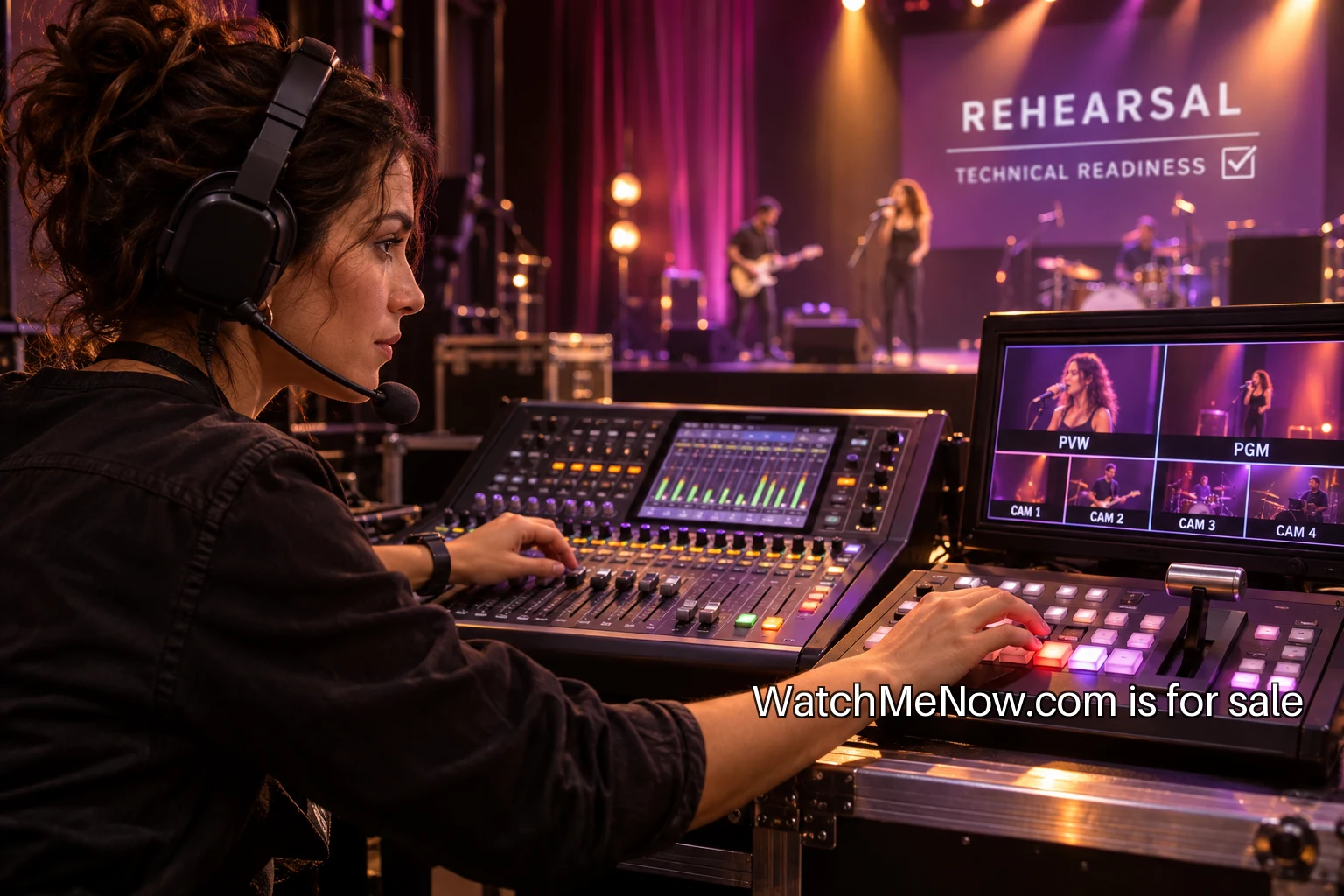
A run sheet is a set of decisions
A first live show can look straightforward from the audience side: someone welcomes the room, introduces the act and keeps the evening moving. Behind that sequence are dozens of small decisions about sound, cameras, timing and people. A run sheet puts those decisions in a shared order so the crew does not have to invent them while the show is already happening.
Start with a version that one person can call. It should tell the team what happens, who owns it, how long it takes and what cue moves the program forward. A running order with only artist names is not enough. The awkward moments often happen between those names: a microphone changes hands, a video finishes unexpectedly or a performer is still getting into position. Write those transitions before the rehearsal.
Name the audience experience
Describe the show in one sentence that includes its length and basic structure. For example, the pilot could be a forty-minute live session with two acoustic acts and a short hosted conversation between them. That sentence guides choices about equipment and staffing. A production that promises a polished multi-room broadcast needs a different plan from an intimate performance with one reliable camera.
Choose what must work for the show to succeed. Clear audio might come first, followed by an uninterrupted wide shot and a host who can explain a delay. Put these priorities at the top of the crew briefing. They help the team make sensible decisions if time runs short during setup. The first show should deliver its own promise rather than attempt every feature the equipment could theoretically support.
Assign roles before assigning cues
One person calls the show. Someone owns audio. Someone checks the outgoing stream or recording. A stage contact tells the caller when the next act is ready. In a small team, a person may hold more than one role, but the combinations need to be realistic. The person answering audience access questions cannot also be the only person watching audio meters during the opening number.
Write down who can make a decision when something changes. If a performer arrives late, the host needs an approved alternative segment rather than a discussion over an open microphone. If the connection fails, the stream operator needs to know whether to keep recording locally. These are production choices for the team to settle before the audience arrives.
Build the sheet around moments
Use a separate row for each meaningful event. Include setup complete, artist check, doors or stream open, welcome, first act, changeover, conversation, second act and closing. Give each row an intended start, duration, owner and cue. The cue should be observable. “Host says the artist's name” is clearer than “when it feels right.” A short shared vocabulary avoids confusion when several people are speaking at once.
For the opening, write the actual sequence. A holding image or room view is live; the caller confirms sound and picture; the host gets a ready signal; the camera is selected; the host begins. Rehearse that sequence exactly once with the team watching the same result. If different people imagine different openings, the rehearsal will reveal it before the public show.
Test the real audio route
A microphone producing a signal at the desk does not prove that the audience can hear it. Follow the route through the mixer, software, stream and playback device. Use headphones to check for hum, clipping and missing channels. Ask the performer to test at performance volume, including the quietest passage likely to matter. Keep a note of the settings that worked so the next person does not reset them accidentally.
For teams using that software, the OBS quick start guide covers adding sources and checking audio before a test recording. Use a short recording of the actual setup, then play it back. A test file catches problems that a reassuring meter can miss. Assign one person to listen from the viewer's side throughout the opening.
Rehearse a transition and a failure
Do not spend the entire rehearsal polishing the first welcome. Choose the hardest changeover. Move the equipment, introduce the next act and check how long the reset takes. If the host needs to fill the gap, give them accurate information and a rehearsed ending cue. A transition can be relaxed and human while still having an agreed shape.
Then practice one failure. Mute the intended microphone, remove a video source or pretend the stream has dropped. The point is to test the response, not to surprise the crew. Who notices? Who tells the host? What does the viewer see? A prepared holding screen and a short honest announcement are easier to use when the team has already practiced them.
Plan access and permissions early
Confirm practical access information before invitations go out. For the remote version, decide how captions and any other required support will be delivered. The W3C media accessibility resource recommends treating accessibility as a production decision. Give the task an owner rather than leaving it as a general aspiration in a planning document.
Agree with performers about the live appearance, recording, promotional clips and replay. Establish how names and credits will be written. Music, backing tracks, projected images and guest contributions may involve separate permissions. Ask the appropriate rights holders and obtain qualified advice where needed. The run sheet can point to the person responsible for clearance, but it does not replace an agreement.
Prepare the closing before the opening
The last minute of a show often becomes improvised because the crew has concentrated on getting started. Write the closing information in advance: thank the artists, state where the replay will be available if that is agreed and give the next date only if it is settled. Make the final screen or room cue clear. Someone must decide when the broadcast actually ends rather than assuming the host's goodbye does it automatically.
After the show, protect the recording before celebrating. Verify that the file exists and plays, then make the planned backup. Note any segment that needs review before a replay is published. Tell performers when to expect approved clips or links. A prompt and accurate handoff is part of finishing the production.
Make the second run sheet better
Hold a short review while the details are still clear. Record the three most useful changes, each tied to a specific moment. “Audio needs work” is too vague. “Check the second vocal microphone at full volume before doors” gives the next rehearsal a concrete task. Keep the successful cues as well, so the team does not rebuild the whole process each month.
A dependable first show comes from a manageable format, a crew who shares the plan and a rehearsal that tests the weak spots. Put the opening, hardest transition and failure response on the calendar first. Those few practiced minutes can give the rest of the evening a stable frame.